Git Internals: Understanding Git Objects
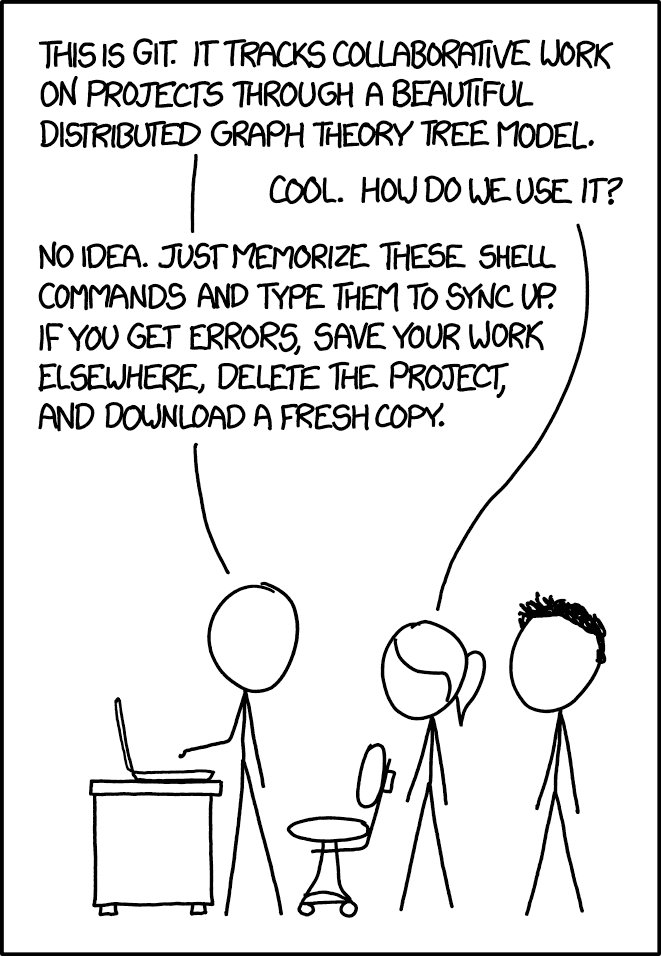
If that doesn't fix it,
git.txtcontains the phone number of a friend of mine who understands Git. Just wait through a few minutes of “It's really pretty simple, just think of branches as...” and eventually you'll learn the commands that will fix everything.
Source: explainxkcd.com
While most users interact with Git through common commands like git add, git commit, and git push, understanding Git's internal object model reveals how these commands actually work and why Git is so efficient.
Here, we'll dive deep into Git's object model, exploring the three core objects — blobs, trees, and commits — that form the foundation of Git's storage system.
Git's Object Model: A Content-Addressable Filesystem
At its core, Git maintains a simple key-value data store. When you add content to Git, it generates a unique key (a SHA-1 hash) based on the content itself and stores that content as an object addressed by that key. This is what makes Git a content-addressable filesystem — all content is stored and retrieved based on its hash, not its filename or location.
Let's look at the three primary types of objects in Git's database:
In this diagram:
- Lines with crow's feet (
||--o{) indicate one-to-many relationships - Each COMMIT points to exactly one TREE (root directory)
- TREE objects can contain multiple BLOBs (files) and other TREEs (subdirectories)
- While COMMIT stores metadata, actual content lives in BLOBs
1. Blobs: Your File Content
A blob (binary large object) is the simplest object in Git's model. It represents the contents of a file — nothing more, nothing less.
Blobs contain:
- binary content: The actual file data stored in a compressed binary format
Blobs do not contain:
- Filenames
- Permissions
- Other file metadata
This design enables Git to:
- Detect identical file content across different filenames
- Deduplicate storage
- Maximize efficiency
When you run git add on a modified file, Git:
- Hashes the file's contents
- Checks if a blob with that hash exists
- If not, creates a new blob with that content
2. Trees: Your Directory Structure
Trees allow Git to store filenames and directory structures. A tree includes:
- blob_hash: References to blobs (files) or other trees (subdirectories)
- mode: File permissions and type information
- filename: The name of each file or folder
Trees represent snapshots of directories.
Steps when adding a directory:
- Create blobs for file contents
- Create trees for directories
- Link them to form a hierarchy
A tree references, rather than duplicates, its blobs and subtrees using SHA-1 hashes.
3. Commits: Your Project History
Commits connect trees together and store your project’s timeline. A commit includes:
tree_hash: Reference to the root treeparent_hash: Previous commit(s)authorandcommitter: Metadata about who made and who committed the changetimestamp: Date/time infomessage: The commit message
Most commits have one parent, but merge commits can have multiple parents.
4. Annotated Tags: Your Milestones
Annotated tags mark important points in your project's history, like release versions. They include:
object_hash: Reference to the object being tagged (usually a commit)type: The type of object tagged (commit,tree, orblob)tag_name: The name of the tag (e.g.,v1.0.0)tagger: Metadata about who created the tagtimestamp: Date/time the tag was createdmessage: Description or annotation explaining why the tag was created
Annotated tags store extra information, making them suitable for official releases, whereas lightweight tags are simpler and just pointers without metadata.
Annotated tags are commonly used for marking stable releases or significant milestones. Use git tag -a v1.0.0 -m "Release version 1.0.0" to create one.
How These Objects Work Together
Example scenario:
- Create
hello.txtwith contentHello, World! - Run
git add hello.txt- Git creates a blob for the content
- Blob is named by its hash: e.g.,
ce013625030ba8dba906f756967f9e9ca394464a
- Run
git commit -m "Add hello.txt"- Git creates a tree including
hello.txtlinked to the blob - Git creates a commit referencing the tree and previous commit
- Git creates a tree including
Object Storage and Integrity
All Git objects are stored under the .git/objects/ directory.
Git uses:
- Hashes for data integrity — any corruption is instantly detected
- Deduplication — identical content stored once
- Efficient packfiles — related objects compressed together
The Elegance of Git's Design
Git’s model is:
- Immutable: Once created, objects don't change
- Content-addressed: Objects identified by content hash
- Modular: Blobs, trees, commits separate concerns
This results in a lightweight, fast, and robust VCS. For example, branches are just pointers to commits — making branching nearly instantaneous.
Conclusion
Understanding Git’s object model gives insight into its power. Blobs store content, trees structure it, and commits track history.
So next time you type git add or git commit, know that Git is linking content together in a beautifully simple and efficient model.
“Just think of branches as...”
Eventually, you'll get it — and appreciate the elegance under the chaos.